Set up in about five minutes.
One EA, one file with your settings, one checkbox in MT5. No coding, no new broker and never your password. If you get stuck, the AI help and a human are in your dashboard.
- MT5 desktop or a VPS
- Any MT5 broker
- No passwords

What you need
An MT5 account
At any broker that offers MetaTrader 5 and the market your algorithm trades. A demo account is perfect to start.
MT5 desktop
On Windows or macOS, or a Windows VPS. Expert Advisors don't run in the MT5 phone apps.
A Crown Pips account
Created in a minute; then you pick 1 month, 3 months or lifetime.
About five minutes
Most of it is copying one file and ticking one box in MT5.
The connect wizard. The real screen.
Your dashboard walks you through every step and checks for the EA's first heartbeat every few seconds. When it arrives, the status turns green.
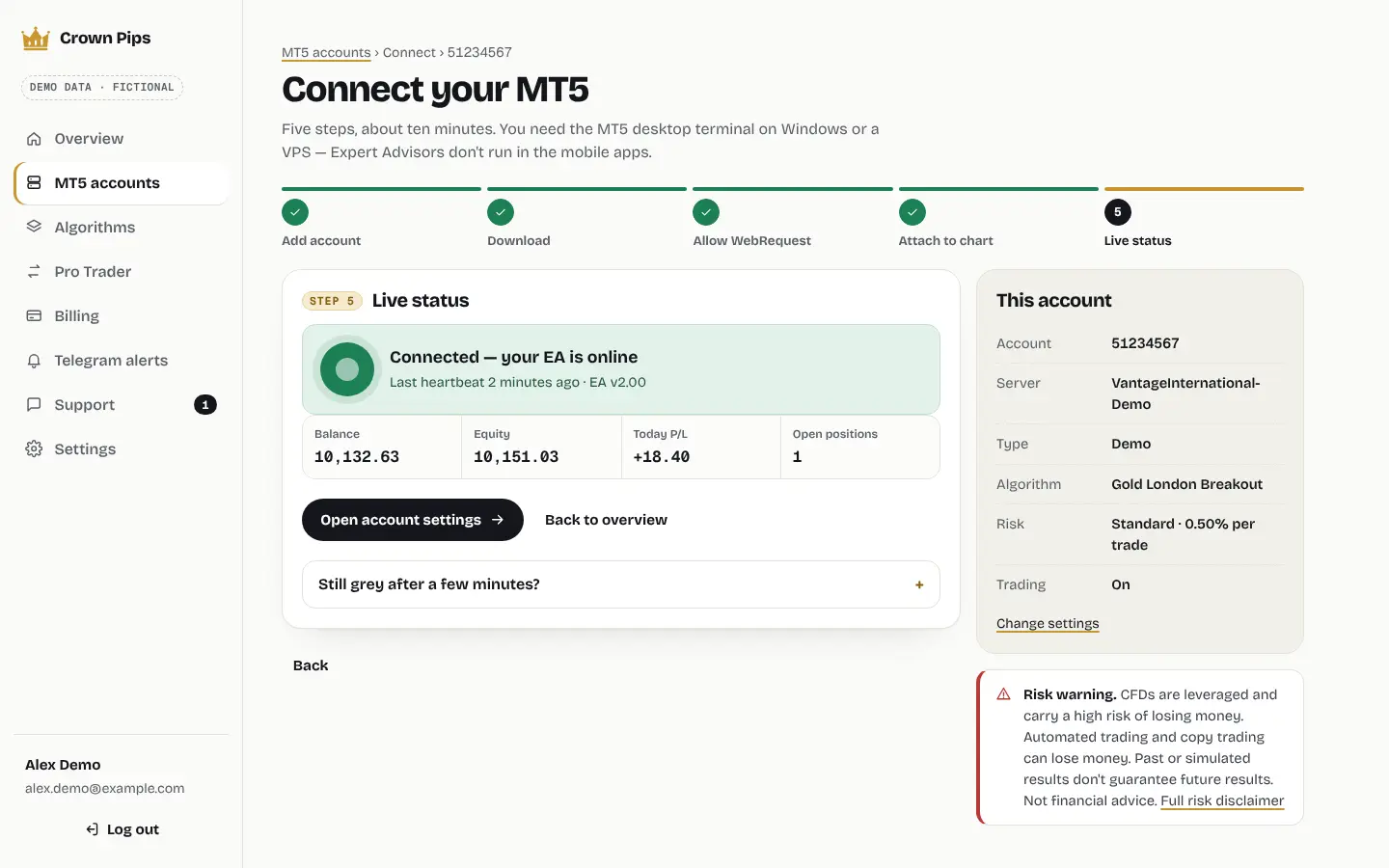
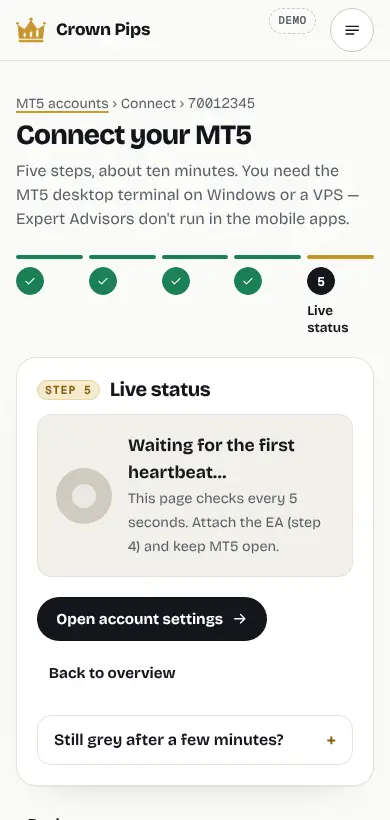
Seven steps. No code.
-
Create your account, pick an algorithm1 min
Sign up at app.crownpips.com, choose an algorithm from the library (start with Gold London Breakout) and the MT5 account it should run on — demo first is smart.
-
Set your risk30 s
Choose a risk profile (0.25%, 0.5% or 1% per trade), your max daily loss and your max trades per day. You can change them any time.
-
Download the EA and your .set file30 s
Two files: the universal Crown Pips EA (.ex5) and a .set file with your personal connection key and settings already filled in.
-
Copy the EA into MetaTrader 51 min
In MT5: File › Open Data Folder › MQL5 › Experts. Paste the .ex5 file there, then right-click Expert Advisors in the Navigator and choose Refresh.
FileOpen Data FolderMQL5Experts
-
Allow WebRequest for app.crownpips.com30 s
Tools › Options › Expert Advisors: tick Allow algorithmic trading and Allow WebRequest for listed URL, then add https://app.crownpips.com.
ToolsOptionsExpert AdvisorsAllow WebRequest
-
Attach it to a chart and load your .set file1 min
Open one chart (for Gold London Breakout: your broker's gold symbol), drag the Crown Pips EA onto it, open the Inputs tab, click Load and pick your .set file. Make sure the Algo Trading button in the toolbar is on.
-
Watch your dashboard turn green≈ 1 min
At the EA's first heartbeat your account appears with its balance, equity and status. From then on you see positions and trades live.
Example of the status card in your dashboard: it turns green at the first heartbeat.

Why WebRequest?
The EA talks to app.crownpips.com: it checks your licence, picks up your algorithm and risk settings and sends the heartbeat for your dashboard. MT5 blocks web requests from an EA until you allow the address. Forgot it? The Experts tab shows error 4014 and no trades are opened.
What's in the .set file?
An MT5 preset with your connection key and settings, so you don't type anything by hand. Lost it or changed a setting? Download a fresh one from the dashboard and load it again.
Do I need a VPS?
Optional. MT5 must be open and online while the algorithm works (for Gold London Breakout roughly 00:00–20:00 UTC on trading days). A Windows VPS keeps it running when your computer sleeps. Stop loss and take profit sit at your broker either way.
Your dashboard sees what MT5 sees. Not your password.
With every heartbeat the EA sends a short status update over HTTPS. It's what powers your dashboard — nothing else leaves MT5.
- Account number and server name
- Balance and equity
- Open positions and closed deals
- EA version, licence and heartbeat time
Never: your MT5 password, your broker login or anything from other EAs. Privacy

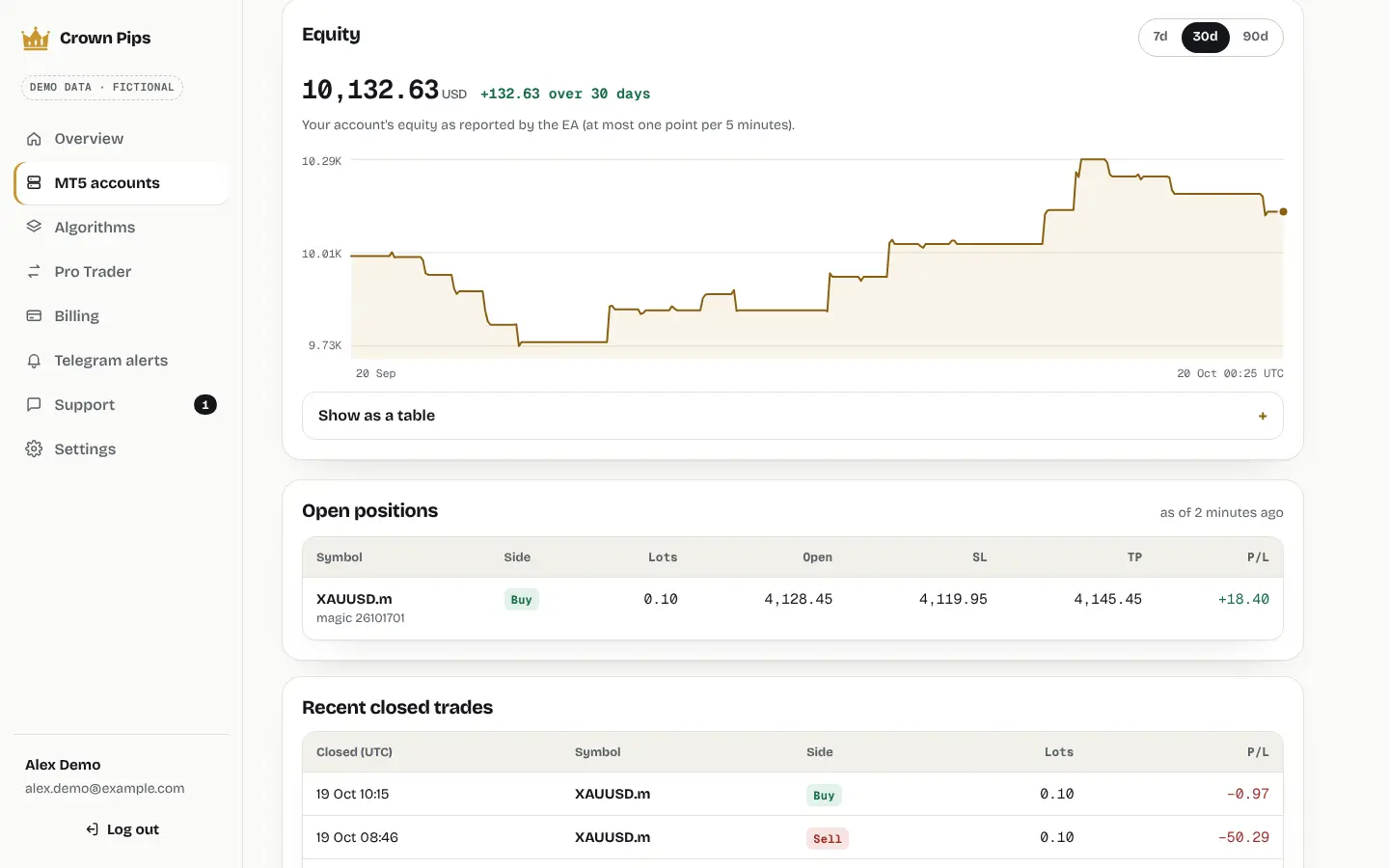
An MT5 account in the dashboard with fictional demo data: equity, open positions and closed trades as the EA reports them. Losing trades included.
AI help in seconds. A human when you want one.
Crown Pips AI in your dashboard knows the EA, MT5 and the setup — error 4014, symbol names, server time, VPS questions. It never gives trading advice. One tap sends the chat to a human.
Setup FAQ
What do I need?
A trading account with any broker that offers MetaTrader 5, and the MT5 desktop terminal on Windows, macOS or a Windows VPS. Expert Advisors don't run in the MT5 phone apps — but you can follow everything in the dashboard on your phone.
Does it work with my broker?
If your broker offers MetaTrader 5 and the market the algorithm trades (for Gold London Breakout: gold), yes. Symbol names differ between brokers (XAUUSD, GOLD, XAUUSD.r …), so you set the symbol once. Position size comes from your broker's own tick value.
Do you need my MT5 password?
Never. The EA runs inside your own MT5 and connects out to your dashboard with a personal connection key. Nobody at Crown Pips logs in to your broker account, and we never ask for your password.
Why does MT5 need WebRequest?
The EA talks to app.crownpips.com: it checks your licence, picks up your algorithm and risk settings, and sends the heartbeat that powers your dashboard. MT5 blocks that until you add https://app.crownpips.com under Tools › Options › Expert Advisors › Allow WebRequest. Without it, the Experts tab shows error 4014.
Do I need a VPS?
No, but it helps. MT5 has to be open and online while the algorithm works — for Gold London Breakout roughly 00:00 to 20:00 UTC on trading days. A VPS keeps it running when your own computer is off or asleep. Stop loss and take profit sit with your broker either way.
How many accounts can I connect?
Up to 2 live and 2 demo MT5 accounts on every plan, at any broker. Each account can run its own algorithm and risk profile.

Five minutes from now, your MT5 could be connected.
Start on a demo account at your own broker. Crown Pips Algo is $49 a month, $99 for 3 months or $997 once for lifetime access — every algorithm included.
Founding price — locked in while you stay subscribed.